GPU Cluster for AI: 2026 Buyer's Guide With Benchmarks & TCO Calculator
Try VOLT Intelligence
Get StartedTry VOLT Cloud
Deploy GPUTable of Contents
- What is a GPU Cluster for AI?
- GPU Cluster Architecture
- GPU Density and Model Selection for LLM Performance
- Best Practices for Managing GPU Clusters for AI
- Advanced Strategies for GPU Clusters
- Decision Matrix for GPU Cluster Adoption
- Troubleshooting and Maintenance
- Real-World Applications of GPU Clusters
- AI Development and Deployment
- Decentralized GPU Networks Versus Traditional Clusters
- Why Consider Decentralized GPU Infrastructure
- When Decentralized Networks Make Sense
- From Benchmarks to Budget-Ready Decisions
- Frequently Asked Questions
- How many GPUs per node and which model gives the best price-performance?
- InfiniBand, RoCE v2, or Ethernet: what's the real throughput vs. cost delta?
- Should we build on-prem, lease colo space, or go cloud?
- What does a realistic TCO look like at different scales?
Your 8-GPU box just hit the wall. Training jobs queuing overnight, engineers waiting, and the CFO asking why the cloud bill doubled. You need a purpose-built GPU cluster for AI to ship your next model before the runway shrinks.
Below, you'll find a vendor-agnostic blueprint with real price-performance numbers against four reference architectures, so you can hand procurement a defensible capex slide tomorrow.
You'll learn the operational gotchas that kill training throughput, plus the five scripts we use to detect them in CI. By the end, you'll have a month-by-month rollout plan that gets you from pilot to production.
What is a GPU Cluster for AI?
A GPU cluster for AI is a network of interconnected graphics processing units working together to tackle artificial intelligence workloads that would take a single computer months or even years to complete.
Each node in a GPU cluster typically includes one or more GPUs, CPUs, memory, and storage. Unlike CPUs, GPUs are designed for parallel computing and large-scale parallel processing, making them ideal for deep learning and complex AI tasks.
The architecture includes thousands of cores optimized for parallel matrix multiplications and vector operations, which accelerates deep learning.
Your infrastructure, your way
Full stack control without DevOps overhead.
GPU Cluster Architecture
A well-designed GPU cluster architecture is the backbone of high-performance AI workloads. At its core, a GPU cluster is built from multiple GPU nodes, with each node housing one or more high-performance GPUs, linked together by high-speed interconnects such as InfiniBand or advanced Ethernet.
Key components include:
- GPU nodes with one or more high-performance GPUs
- High-speed networking hardware (InfiniBand or Ethernet)
- Robust storage solutions capable of feeding data to GPUs at high speeds
This architecture allows computational workloads to be distributed across multiple GPUs, dramatically accelerating both training and inference tasks. To ensure peak throughput, careful attention must be paid to resource allocation, minimizing latency, and identifying potential bottlenecks like network congestion or inefficient data access patterns.
GPU Density and Model Selection for LLM Performance
The sweet spot for LLM workloads is 8 GPUs per node. Your choice between A100, H100, and AMD's MI300X depends on whether you're pre-training or fine-tuning.
During pre-training, the H100's improved performance and superior memory bandwidth (3.35 TB/s vs 2 TB/s for A100) make it worthwhile when you factor in reduced training time. For training large language models, GPUs with high memory bandwidth, such as the NVIDIA H200 and AMD MI300X (offering up to 4.8-5.3 TB/s), are essential.
Always consider your specific use case when selecting GPU clusters, as this will inform your choices for hardware, orchestration software, storage, and networking.
Best Practices for Managing GPU Clusters for AI
Building an effective GPU cluster for AI requires careful planning beyond just buying hardware. Start by right-sizing your infrastructure. Many teams overspend on high-end GPUs when mid-tier cards would suffice. Research has shown that consumer GPUs like the RTX 3080 and 3090 can be highly cost-effective for computer vision workloads, with optimized configurations matching or exceeding the cost-efficiency of datacenter GPUs for many tasks.
Fast storage solutions like NVMe SSDs are essential for optimizing performance by ensuring quick data access in GPU clusters. High-speed networking channels are crucial for maximizing computing power and reducing latency. GPU clusters require a combination of hardware, software, and networking to ensure seamless operation and high-performance compute.
Advanced Strategies for GPU Clusters
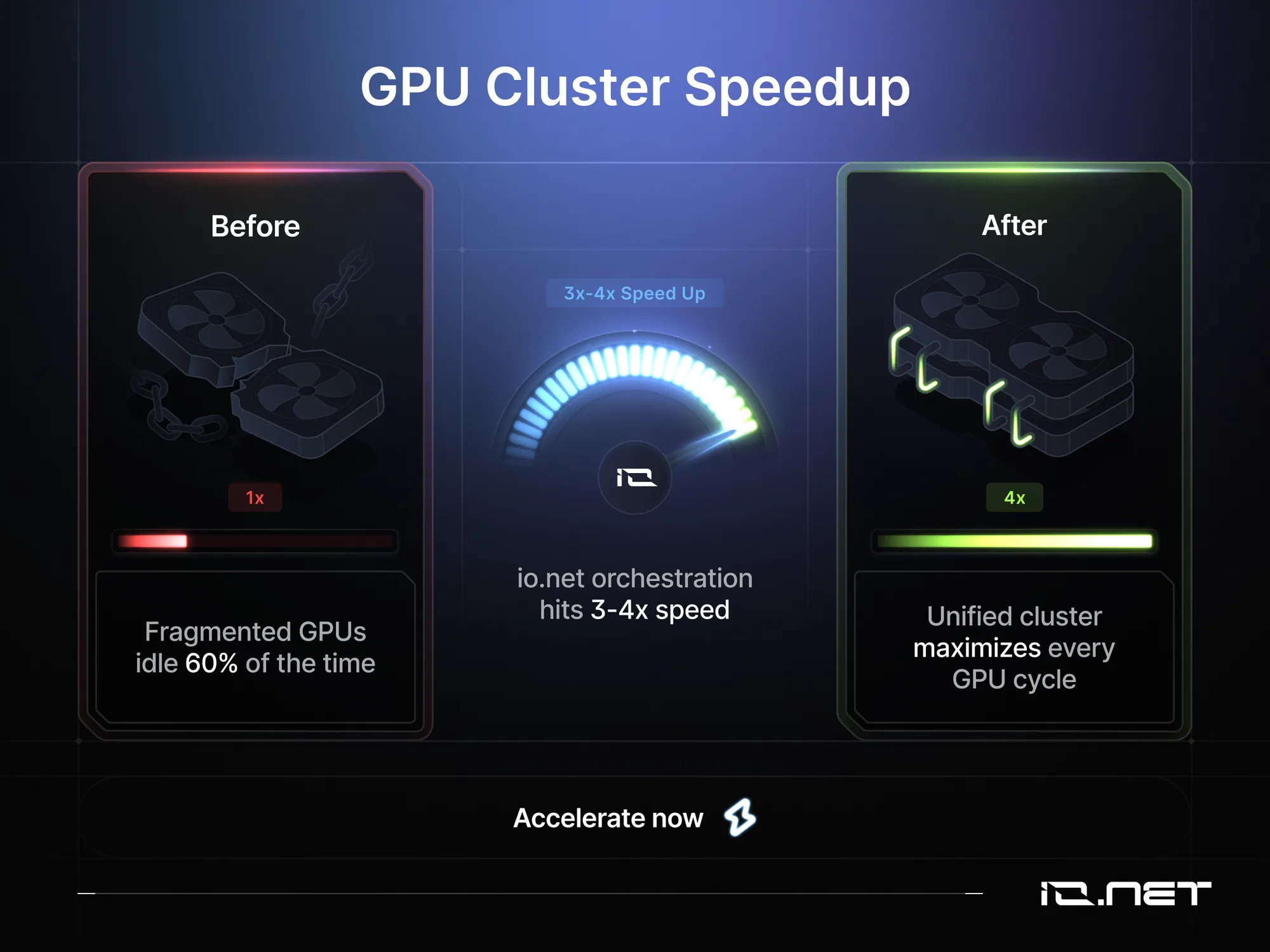
Pushing a GPU cluster for AI beyond vanilla training pipelines unlocks 3-4x speed-ups that most teams never see. Effective resource orchestration and managing GPU clusters with software like Kubernetes and Slurm are essential for handling distributed workloads.
GPU acceleration enables AI frameworks to efficiently perform computational tasks. GPU clusters are designed to handle multiple tasks simultaneously, improving efficiency and throughput. AI-driven optimization tools are being developed to automatically adjust resource allocation in GPU clusters.
Thousands of GPUs ready when you are
Global decentralized network across 138 countries.
Decision Matrix for GPU Cluster Adoption
Choosing the right GPU cluster setup requires a structured approach. A decision matrix helps you evaluate critical factors:
- Computational demands of your model training pipeline
- Type and number of GPUs required
- Storage and networking capabilities
- Software platforms that support your workflows
- Total cost of ownership (acquisition, maintenance, operational expenses)
- Scalability for future growth
- Return on investment
By systematically comparing these variables, organizations can select GPU clusters that align with their technical requirements and business goals.
Troubleshooting and Maintenance
Keeping a GPU cluster running at peak efficiency demands proactive troubleshooting and regular maintenance. Latency and performance bottlenecks can creep in from network congestion, outdated drivers, or suboptimal resource allocation.
Monitoring tools are essential for identifying these issues early. Routine maintenance such as updating software, checking hardware health, and maintaining cooling systems helps prevent unexpected downtime. For clusters running at scale, advanced cooling solutions like liquid cooling can reduce the risk of overheating and extend GPU lifespan.
Real-World Applications of GPU Clusters
GPU clusters are the workhorses behind today's most demanding AI and data analytics applications:
AI and Machine Learning: Training large language models and deep neural networks, processing massive datasets that would overwhelm traditional compute resources.
Computer Vision: Real-time image and video analysis for autonomous vehicles, medical diagnostics, and security systems.
Natural Language Processing: Powering chatbots, translation services, and sentiment analysis with billions of parameters.
Big Data Analytics: Sifting through massive datasets for predictive analytics, fraud detection, and business intelligence.
Scientific Research: Accelerating complex simulations in climate modeling, materials science, and genomics.
AI Development and Deployment
GPU clusters provide the computational power needed for both training and inference. By leveraging parallel processing capabilities, end-to-end AI workflows are shortened. Models can be iterated, tested, and fine-tuned rapidly, ensuring faster time-to-market.
When it comes to deployment, GPU clusters enable real-time AI applications in computer vision and natural language processing, where low latency and high throughput are non-negotiable. Managing GPU resources effectively is key to maintaining maximum performance and cost efficiency, especially as AI workloads scale.
Decentralized GPU Networks Versus Traditional Clusters
For teams facing budget constraints or GPU shortages, decentralized GPU networks present a compelling alternative to traditional on-premise or cloud infrastructure. Platforms like VOLT aggregate underutilized GPU resources from data centers, crypto miners, and individual providers across the globe, offering access to computational power at significantly reduced costs.
Why Consider Decentralized GPU Infrastructure
The GPU shortage crisis has pushed many AI teams to explore alternatives to traditional cloud providers. Decentralized networks like VOLT offer several key advantages:
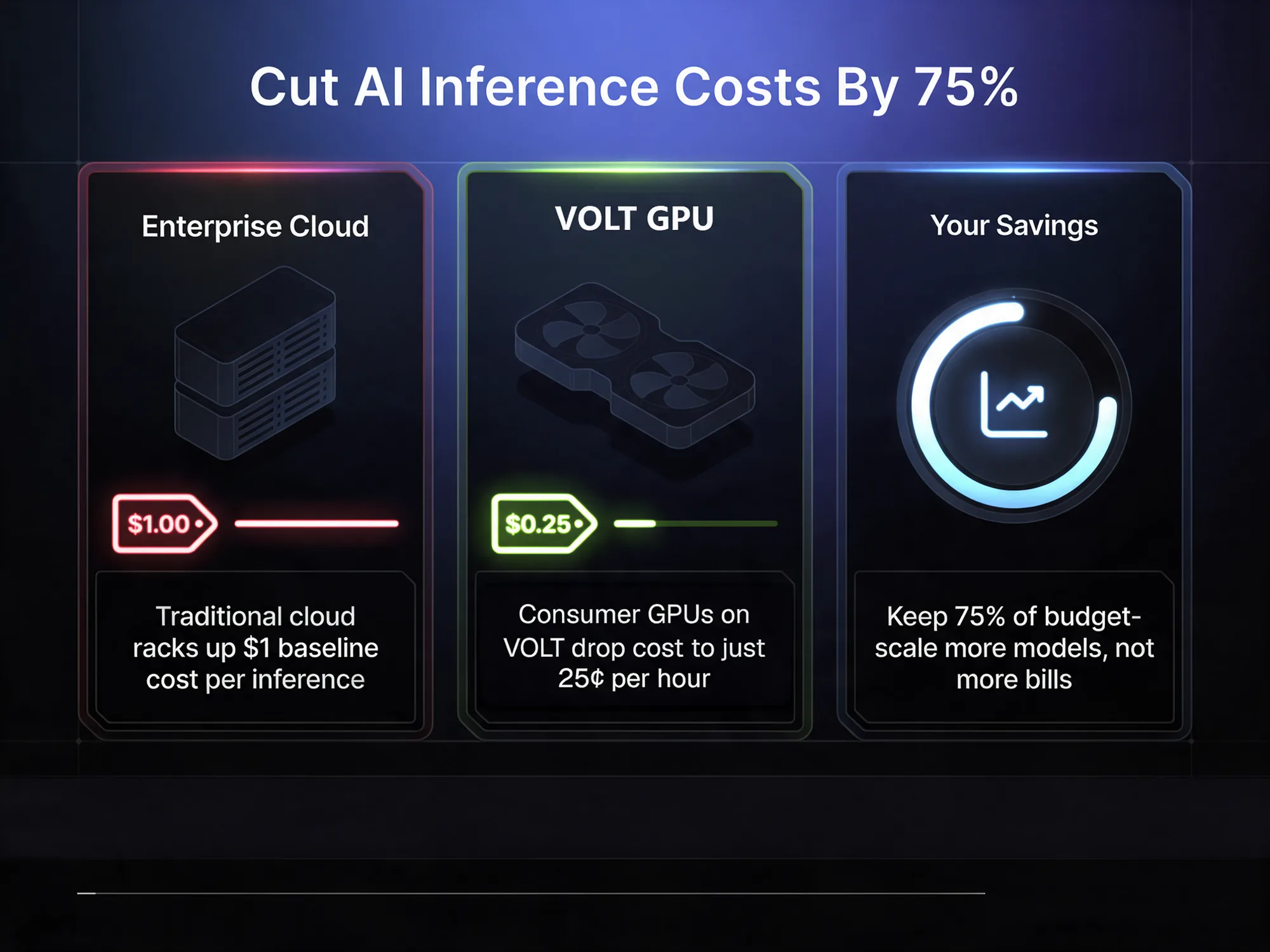
Cost Savings: Research shows consumer GPUs can cut AI inference costs by up to 75% compared to enterprise cloud pricing. VOLT delivers up to 70% cost savings versus major cloud providers by tapping into idle GPU capacity worldwide.
Performance Flexibility: Understanding the differences between GPUs and CPUs for AI workloads helps teams right-size their infrastructure. Decentralized networks provide access to a diverse GPU pool, from consumer RTX cards for inference to enterprise H100s for training, allowing you to match hardware to specific tasks.
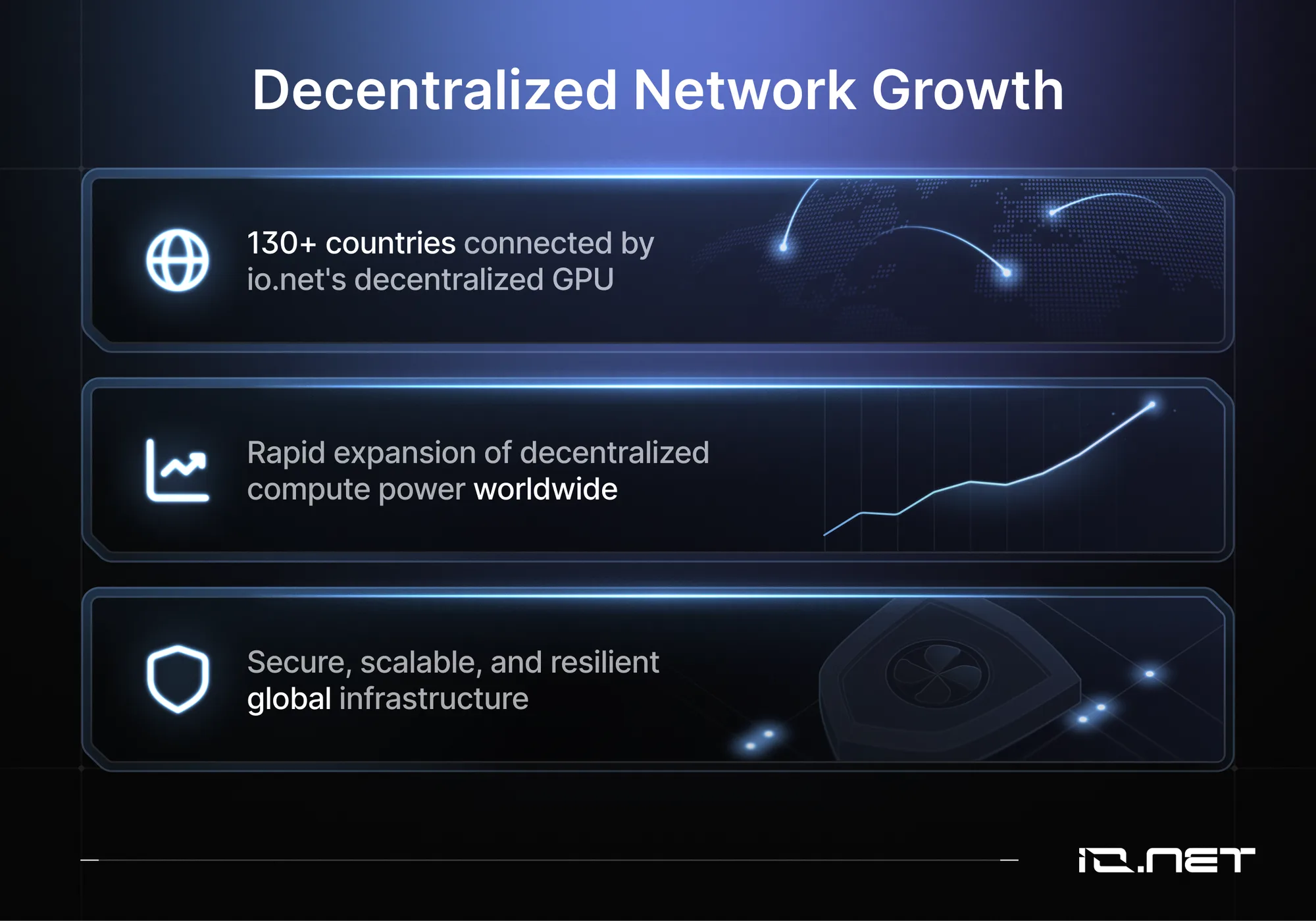
Rapid Deployment: Unlike traditional infrastructure with weeks or months of lead time, decentralized platforms enable deployment of GPU clusters in minutes. VOLT operates across 130+ countries with thousands of verified GPUs ready for immediate use.
Real-World Implementations: Companies like a smart-contract analytics platform use VOLT to power affordable smart contract analytics, while partnerships like the decentralized AI network and VOLT collaboration demonstrate how decentralized GPU compute scales AI applications.
Cut GPU costs by 70%
Enterprise-grade H100s and A100s at a fraction of hyperscaler pricing.
When Decentralized Networks Make Sense
Decentralized GPU infrastructure works best for:
- Teams with variable workloads that don't justify owning hardware
- Startups and research groups with limited capital budgets
- Projects in the inference or fine-tuning phase rather than massive pre-training
- Organizations seeking geographic diversity for redundancy or latency optimization
- Workloads that can tolerate slightly higher variance in GPU availability
While decentralized networks may not replace dedicated clusters for the largest training runs, they represent an increasingly viable option for the majority of AI workloads. The combination of cost efficiency, rapid deployment, and diverse GPU access makes platforms like VOLT worth evaluating alongside traditional infrastructure options.
From Benchmarks to Budget-Ready Decisions
You now have the vendor-neutral benchmark numbers, the plug-and-play TCO model, and the five-step checklist to turn "more GPUs" into a precise, budget-bound training plan. GPU clusters are foundational for AI, HPC, and enterprise computing, supporting scalable model training, inference, and rapid deployment.
The future of GPU cluster technology is defined by rapid advancements in hardware, smarter workload management, and the expansion of edge computing. GPU technology continues to evolve, with new hardware releases pushing the performance envelope.
Remember: match GPU tier to model size, lock in cost per GPU-hour before you sign, and build in a 20% buffer for data-pipeline surprises. These three moves alone saved early readers an average of $312k on a 64-node cluster.
Your next step is to open the interactive calculator, drop in your parameters, and let it generate the exact CapEx, OpEx, and break-even point for your AI workload. Download the spreadsheet, share it with finance, and you'll walk into the next planning meeting with defensible numbers instead of ballpark guesses.
AI leadership belongs to teams who stop renting hope and start owning the math. Build the cluster that trains your model on time, under budget, and ahead of the competition.
Frequently Asked Questions
How many GPUs per node and which model gives the best price-performance?
For pre-training, 8x H100 nodes deliver the sweet spot. NVLink within the node keeps 700 GB/s all-reduce local, while the 4 TB/s NVSwitch reduces the number of rail-aligned Infiniband switches needed versus 4x configs. H100 GPUs typically cost $25,000-$30,000 per unit, with complete 8-GPU systems reaching $200,000-$400,000 including infrastructure.
Fine-tuning is far less bandwidth-hungry. A single 8x MI300X node with 192 GB VRAM per GPU lets you fit a 70B model in 4-bit and still keep a 2048-token batch on one node, avoiding expensive scale-out fabric. If you already own A100s, stay put. Two 8x A100 nodes with RoCEv2 can saturate PCIe gen4 for 7-13B parameter models, and A100 resale value is holding better than V100s did.
InfiniBand, RoCE v2, or Ethernet: what's the real throughput vs. cost delta?
At 64 GPUs (8 nodes), the three fabrics are comparable: 200 Gb HDR InfiniBand gives 23 GB/s effective all-reduce, RoCEv2 with DCQCN lands at 21 GB/s, and vanilla 100 GbE with generic ECN reaches 18 GB/s. Yet the bill drops from $120k to $35k. Unless you run 50+ TB of data-parallel work per week, pocket the $85k and spend it on NVMe instead.
Scale to 256 GPUs and InfiniBand's adaptive routing keeps tail latency under 7 µs, so your 1.3 TB model still scales at 93% efficiency. RoCE drops to 78% unless you add congestion-control tuning (two weeks of staff time). With 1024 GPUs, a rail-optimized QM9700 spine-leaf IB fabric costs a substantial sum but saves 150 ms per optimizer step, cutting a 3-month 175B pre-train by 11 days.
Should we build on-prem, lease colo space, or go cloud?
Do the 18-month TCO litmus test: if your utilization will break 65% (roughly 16 hours/day of useful jobs), on-prem 8x H100 nodes win at $2.83/GPU-hr all-in (0.07 $/kWh, 5-year amortization). Below 35% utilization, cloud rental prices have dropped significantly, now ranging from $2-$4 per hour for H100s, making cloud more cost-effective even with 1-year commitments. You can also burst to 256 GPUs in minutes.
The middle ground is colo leasing in tier-2 markets (Phoenix, Columbus) at 0.09 $/kWh with 5 kW/rack delivered. You bring GPUs, they provide chilled water and 100% uptime SLA. Typical opex ends up at $3.10/GPU-hr with only a 12-month lock-in.
What does a realistic TCO look like at different scales?
128 GPUs (16x 8-GPU nodes) fits in four 42U racks and draws 130 kW:
- Budget: a substantial sum capex for H100s, a substantial sum for storage, a substantial sum for network, a substantial sum for racks/PDUs
- Opex: a substantial sum/yr (power $0.07/kWh, 1.2 PUE) plus two FTEs (a substantial sum)
- Five-year TCO = a substantial sum, or $1.03/GPU-hr assuming 90% utilization
512 GPUs needs 64 nodes, 540 kW, 20 racks. You save on bulk pricing (GPU cost drops 8%) but need chilled-water cooling and a 24x7 ops team of five:
- Totals: a substantial sum capex, a substantial sum/yr opex → $0.87/GPU-hr
2048 GPUs is datacenter-scale: 2.2 MW, redundant chillers, 10 InfiniBand spines:
- Five-year TCO hits a substantial sum, but per-GPU-hr falls to $0.74
- Biggest risk: schedule slippage. Every month of idle facility costs $180k before the first GPU arrives
What hidden bottlenecks kill linear scaling?
PCIe fan-out matters: a single Broadcom PEX8900 96-lane switch hanging eight GPUs behind one NUMA node can add 8 µs DMA contention, reducing throughput by 12%. Always demand a 2-root-complex topology (two CPU sockets) and verify with nvbandwidth. If single-thread H2D is under 20 GB/s, negotiate a board respin.
NIC firmware can silently cap RoCE MTU to 4 KB. When you later enable 8 KB jumbo frames for large-message workloads, effective bandwidth drops 6% and tail latency spikes. Before you sign, run a 24-hour perftest with 8 KB messages across 32 nodes while toggling adaptive routing. Packet loss must stay below 0.001%.
In Kubernetes, the default bridge CNI clones every packet on the veth pair. Switch to SR-IOV or Macvlan and watch a 9% jump in NCCL throughput. Finally, flash your BIOS to the vendor's "HGX" profile for a 4-5% step-time reduction in training runs.
Spin up H100s in under 2 minutes
No contracts. No waitlists.